Category: Topic Reflections
This is the category to apply to your topic reflection posts from the course.
Here is the link to my groups presentation! Assignment 2 – Education Technology Presentation Video – EDCI 336 William Spencer UVic
Doing this project was a great learning opportunity and I think one of the greatest takeaways is how Slido is such a useful tool in the modern day classroom. What stands out to me is how it allows all kids to participate and it can make school fun. I am also now better prepared to use this technology tool which I see as a big takeaway from this class. I can actually walk out of here with a skill that I have learned and I plan to use Slido in my practicum. I also appreciated the ability to work with my peers on this assignment. It was a useful way to network and build a sense of shared experience with some people in the program. Doing this assignment also has made me more interested in searching for new technologies to use in the classroom and I hope to have a close look at some of the work my peers have done as well.
Further talking about Edcamps, as a future teacher I really like the ideas of them. It is all about teachers learning from each other in a relaxed, open way. Instead of having a set schedule, people choose topics they care about and have real conversations about what works in the classroom. I appreciate how collaborative it feels since everyone shares their ideas, asks questions, and builds on each other’s experiences. It makes professional learning feel more meaningful and connected. I can see myself getting a lot out of this kind of environment and contributing my own ideas as I grow in the profession. I hope I have the opportunity to participate in an EdCamp when I am out in the field as a teacher in my district. A question I raise is if many districts use these learning opportunities for their staff? It is exciting to think about the professional development opportunities in this line of work.
In our group discussion about AI for teachers, I learned a lot from hearing everyone’s ideas. We talked about how AI can help with planning, giving feedback, and saving time, but also how teachers still need to use good judgment and keep students’ needs first. I learned about new platforms such as claude and we talked about how notebook is good for making presentations. This is something I want to try because making presentation slides every day for teaching is something that sounds daunting. The conversation made me think more about using AI as a support tool rather than something that replaces the teacher. Overall, it helped me understand both the benefits and the limits of AI in the classroom.
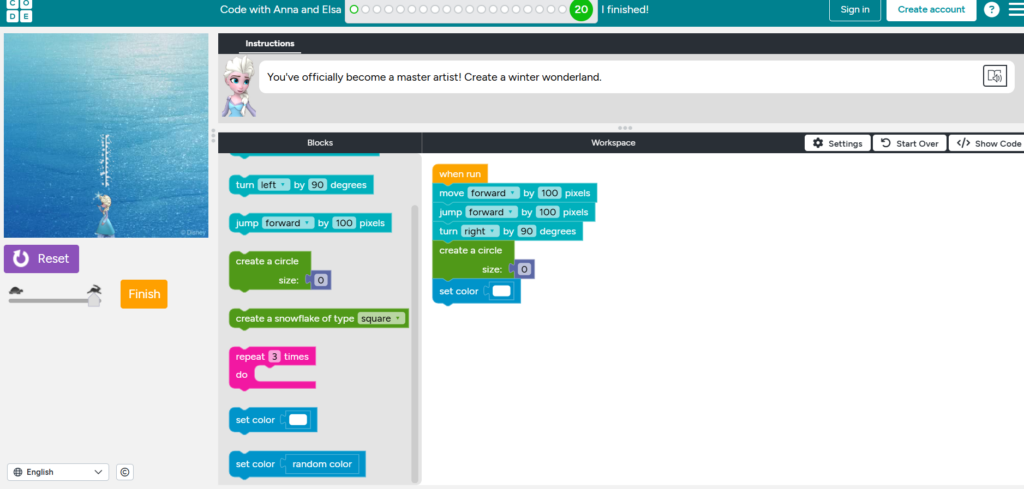
This week I tried coding for the first time and it was definitely a challenge for me. Even working through this lab with Elsa as seen in the screencast, I found myself struggling to understand what I was supposed to do and how the different pieces fit together. There were moments where I felt stuck, and it took a lot of patience to keep going. I am a very non tech savy person so this activity challenged me but it was also fun in a few ways.
You can see this in the screencast I recorded there are sections where things finally clicked as I got the character to move and do a spin but it took a few tries to get there. It was not perfect, but it was real learning, and I am proud that I pushed through instead of just giving up.
I can see how coding might be exciting for people who enjoy computers or want to teach tech-related subjects. For me, though, I do not think I will ever use this in a Socials classroom. It is always fun to explore new tools and learn about different types of technology, but after this experience, I think I will be keeping my distance from coding. It is great for some teachers, just not something I see myself using in my own teaching practice. Teachers who are teaching computers classes might find this as a valuable tool to try out.
My Attempt At Making A Screen Cast Image Accessible & Using Headings.
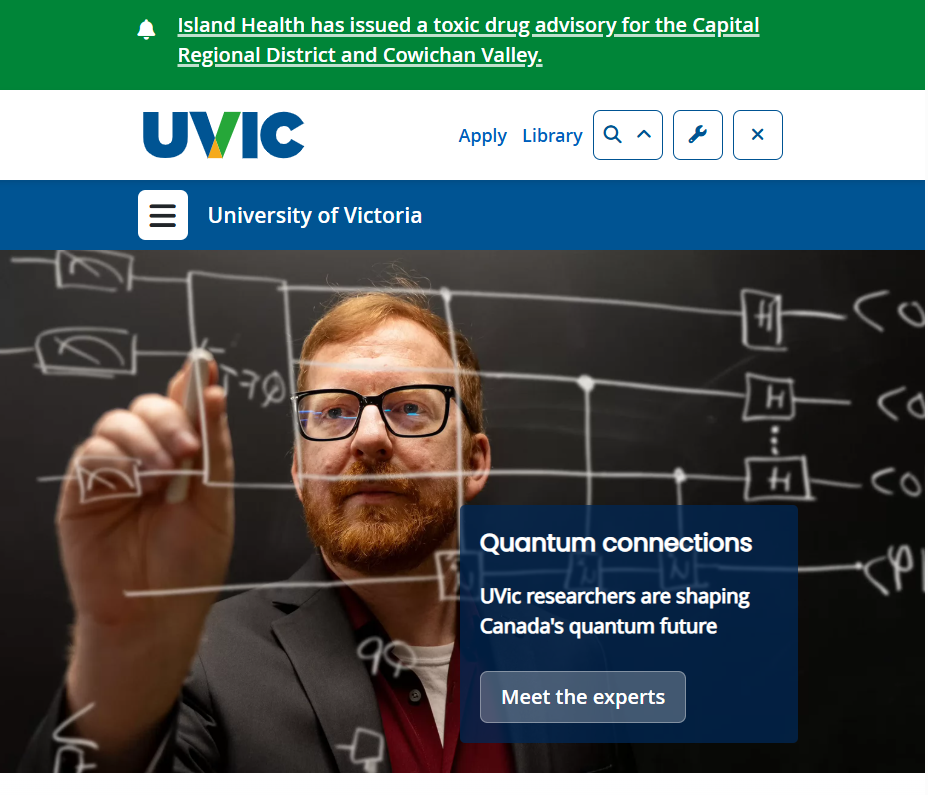
screen cast Image made accessible. I took this screenshot from Home – University of Victoria on 2026-02-28.
I think many digital accessibility practices are not very well‑known because people often assume technology just works for everyone, and they do not realize how many barriers some users face. I also feel that accessibility can seem technical or overwhelming, so it does not get taught or talked about enough in everyday settings. Because of this, it is easy for people such as designers, teachers, and students. who use technology everyday to overlook simple steps like using clear headings that would make digital spaces easier to understand for everyone.
Something else that stood out to me this week was why is it important for educators to think about accessibility when they are creating digital learning materials.
I think it is important for educators to think about accessibility because students learn in different ways, and relying only on text can make it harder for some people to understand the material. When teachers include links to videos, audio clips, or interactive tools, it gives students more than one way to take in information, which makes learning more flexible and inclusive. I have seen this in practice when I have taught a lesson. The students are much more intrigued and willing to learn when I have videos and fun interactive games for them to play. I think that videos can explain ideas that are confusing in writing, and they help students who learn better by seeing or hearing something instead of just reading it. I have also personally noticed this in my own classes sometimes a short video helps me understand a concept much faster than a long paragraph, and it keeps me more focused. Using different formats makes the learning experience clearer, more accessible, fun, and welcoming for everyone.
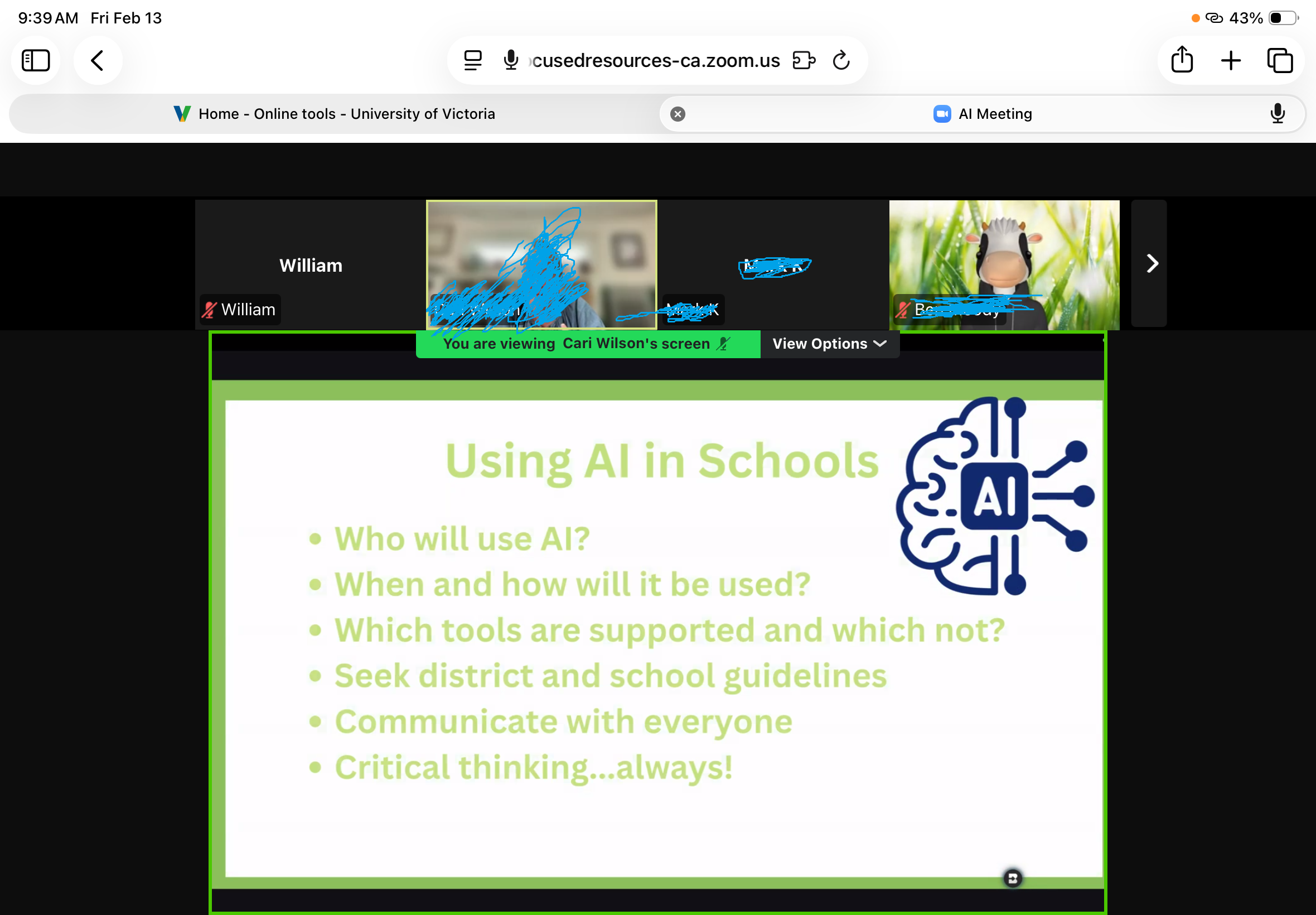
Being part of the K–12 Artificial Intelligence lessons event on Friday February 13th really helped me understand both the excitement and the challenges of bringing AI into the classroom. I learned how technology has changed over the course of the past 20 years and realized just how long it has taken for technology to reach the point we are at today. This made me appreciate that AI is not something that suddenly appeared, it is really a technological masterpiece from years of advancement. I also found it helpful to learn about large language models and how prompts work, because it showed me that AI actually has a system behind it in how it works. This was something I never really even thought of or cared about but it is fascinating how quickly it can produce information. The discussions about privacy, ethics, and deepfakes were eye‑opening too, and they reminded me that teaching about AI to my future students is not just about showing them cool tools or how easy it is to get information. Rather it is also about helping them understand how to stay safe, think critically, and question what they see online. One of my favorite parts of the event was the What, Wonder, Why activity, because hearing other people’s thoughts helped me see things from different angles and pushed my own thinking further. At the same time, I also became more aware of the challenges, like how easy it is to oversimplify AI for younger learners, how overwhelming ethical issues can feel, and how not all students have equal access to technology. All of this made me think carefully about what AI education should look like in a real classroom. One of my other greatest takeaways was the discussion around school boards and how AI use could possibly vary between the districts. I wonder if this will become regulated for teachers where they will have to follow strict rules? Looking ahead, this event made me want to use AI more intentionally in my teaching. I can see how it could support student learning, spark curiosity, and help them build important skills like critical thinking and clear communication. But I am also left with a big question: How do I make sure students use AI appropriately while still doing their own learning. I want AI to be a tool that supports their thinking and not something that replaces it. Going forward, I know I will need to set clear expectations in my classroom and teach students how to use AI responsibly. As of right now, I am not a big proponent of letting students use AI in my class. I think it is taking away from the value of their learning at a young age. This event did not give me all the answers, but it gave me a strong foundation and it made me excited to keep exploring how AI can fit into my teaching in a thoughtful yet balanced way.
Here is a screenshot of the meeting as a fun artifact. I also blurred out the people to respect their privacy.
I am starting to get a feel for how the different knowledge management tools can help shape my teaching, even though I am still very much in the trying out phase as I have never used tools like google classroom before. When I played around with Microsoft OneNote, it felt like a big, flexible space where I could drop ideas, half‑finished lesson plans, and resources without worrying too much about structure. This was entirely new to me and I am eager to explore it more especially since Microsoft is my preferred platform. I had a look at Google Classroom and spent some time exploring tutorials on youtube, clicking through settings, and testing out setting one of these up but I think I want to learn more about it before I attempt to make one. I think I could reach out to some teachers I know to help explain it more and show me theirs. I have already learned and heard a lot about it from people I know such as how there is a grade book, and how it is really useful for students to access and interact with materials from anywhere. I think that is super valuable, especially for parents to be able to see everything and have the class be transparent. I think that onenote would be very useful for collaboration with other teachers in the school I will work at because of its real‑time editing and shared folders.
I am still sorting out my feelings about the pros and cons of these types of tools in general because ultimately I would want to use a paper grade book. I know that the world is very tech heavy now and it will probably be an expectation for teachers to use platforms like google classroom so I am excited to learn more and try to stay on top of this technology. On the positive side I think these tools can make planning feel more organized and help me stay on top of things. But I also felt the weight of the learning curve and have the sense that learning new tools can sometimes complicate things instead of simplifying them. Even with those challenges, I can see myself using OneNote for brainstorming, sharing notes, organizing, and Google Classroom for structuring my class, because both support a more intentional and accessible classroom environment.
I also want to share a video that I watched How I use Google Classroom | Teacher Tutorial because it gives a really down‑to‑earth walkthrough of how Google Classroom actually works from a teacher’s point of view. When I watched it, I appreciated how the creator did not just list features but showed how they fit into real classroom routines like posting assignments, organizing topics, giving feedback, and keeping communication clear. Since I have been trying to learn more about Google Classroom myself, this video helped me see the platform in a more practical way, not just as a set of buttons to click. It made me think about how I might structure my own digital classroom so students can find things easily and feel supported. I figured others might find it helpful too, especially if they are still experimenting with classroom.
I am not very experienced with generative ai but I think it has some major limits that people should know about. I think one of the biggest problems is that it can lull people into believing it, because it often sounds very confident even when it might be wrong. An example of this is in math I have found the answers to be incorrect, yet at first I believed they were right. I also think it is important to mention that generative ai does not understand the world the way humans do. It has no real feelings, common sense, or lived experience. I think this lack of real understanding means it can miss obvious details or misunderstand what someone is asking. I also think GenAI sometimes makes things up, including facts or sources that are not real, and its confident tone can make those mistakes seem believable. I have heard of it making up sources completely. One of the biggest questions I have is does GenAi repeat unfair biases because it learns from human data?. What data is important to it and what is not? I think another limitation is that it may not always know the most recent events, so its answers can be outdated.
I think GenAI can be helpful for learning, but I have also noticed its limits, especially when I think about using it while teaching Social Studies. I think it is great for getting quick explanations or for helping me brainstorm lesson ideas. For example, if I am planning a lesson on the causes of World War I, I think GenAI can break the topic into clear, easy-to-teach points that help me get started. But I also think it can be risky if I am preparing something for students and do not take the time to form that knowledge on my own. It raises the question of whether teachers will know what they are talking about when they are teaching or if their use of AI will dominate? Overall, I think GenAI can support my teaching, especially in Socials by looking up facts, building useful lesson outlines, creating ideas for games, but I still need to use my own judgment and make sure I am guiding students with accurate, thoughtful information.
I also want to mention and share one of the most interesting ai tools I have noticed and that is google notebooklm podcast tool. It allows teachers for example to upload notes and create a podcast from them. This is a great multimodal tool especially for a fun twist on a unit and for those that prefer to learn orally rather than through written text. This is an ai tool that I am interested to explore and I could see its value for teachers and especially in subjects such as english or social studies.
A fun way that I could have students use video and audio editing in a Law 12 class would be using it to show their understanding of fouls in sports. I could have students record short clips of situations in a game that could look like tripping in soccer or a foul in basketball. Then use editing tools to highlight where a foul occurs, add voice‑over explanations, or slow down the footage to show key moments. This turns the assignment into something active and creative instead of just written work and it is also a creative way to make use of multimodal tools in the classroom. I think this assignment is a very strong way to implement technology in the classroom as it allows for students to be involved in their own learning in a new way. To make it engaging, I would let students choose their own scenarios, they could work in small groups, and use music, captions, or replay effects to make their videos feel like real sports analysis. This approach helps students learn the rules more deeply because they have to explain them clearly while also having fun with the technology.
“While often defined simplistically as “school work at home and home work at school,” Flipped Learning is an approach that allows teachers to implement a methodology, or various methodologies, in their classrooms” (FLN, 2014, What is Flipped Learning? section, para. 1).
Reference: Flipped Learning Network (FLN). (2014) “What Is Flipped Learning?”. Definition of Flipped Learning – Flipped Learning Network Hub
A flipped classroom in a course like Law 12 could involve students learning core concepts such as Charter rights, legal terminology, or case backgrounds through short videos or curated readings at home, then using class time for hands-on activities like debates, case analysis, and mock trials.
Reimagining education feels very important today because according to Gill (2024) “In many of today’s classrooms that have adopted a “teaching to the test” mentality, students have become passive participants in their own learning, unable to make the connections between the lessons they’re taught and how they apply in the real world” (para.1). The article highlights how approaches like project‑based, inquiry‑based, and collaborative learning can help students take a more active role in their education. I found it helpful because it explains how students can co‑create their learning experiences and how teachers shift from being lecturers to facilitators.
Even though these ideas are exciting, educators can face real obstacles when trying to change their pedagogy. Some schools lack the technology or resources needed to support student‑centered learning, which raises equity concerns, who gets this access and who is left without? Others worry about privacy and data security when using digital tools, especially with younger learners. I have also seen teachers mention that strict curriculum requirements or pressure from standardized testing in subjects make it difficult to try new approaches. While on the other hand in the PDPP we are being told to exercise different approaches. The question becomes how? It seems easier said than done.
What excites me most about this approach is the possibility of giving students more voice, choice, and ownership in their learning. Multimedia tools like short videos, sketchnotes, or podcasts can help students express their ideas in creative ways across different subjects. At the same time, I am concerned about whether all students will have equal access to these opportunities and whether schools will protect their data responsibly. I would be thrilled to hear what others think about balancing innovation with fairness and safety, especially from educators who have tried student‑centered learning in their own classrooms.
Reference: Gill. J. (2024). Shifting to Student-Centered Learning: The Role of Curriculum & Instruction. https://gsehd.gwu.edu/shifting-student-centered-learning